How to Send Parents Their Circool Activation
Use this guide to send Circool activation links to parents and guardians.
Activation helps parents and guardians get their Circool Pass ready before visiting school, attending events, or using student check-in and check-out.
Before you start
Circool syncs with your Student Information System, also called your SIS, to keep the People list up to date.
In People, you may see:
- Custodial parents and guardians
- Student contacts marked for emergency or pickup
- School staff
Good to know: Your SIS remains the source of truth. Updates to parent, guardian, student contact, or staff records should be made in the SIS first. Circool will sync those changes.
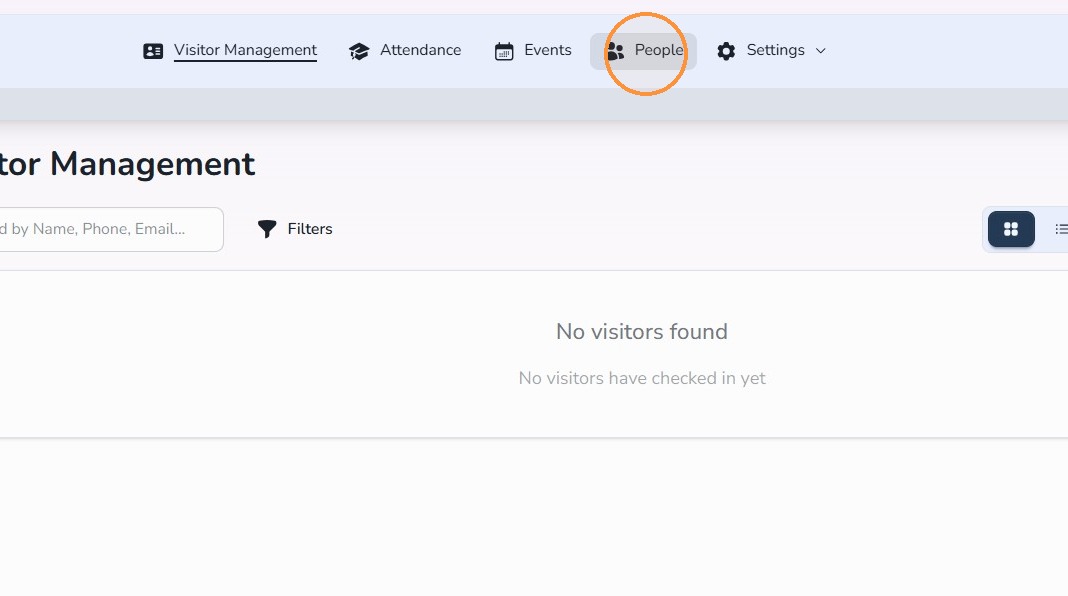
Step 1: Open People
- Click People.
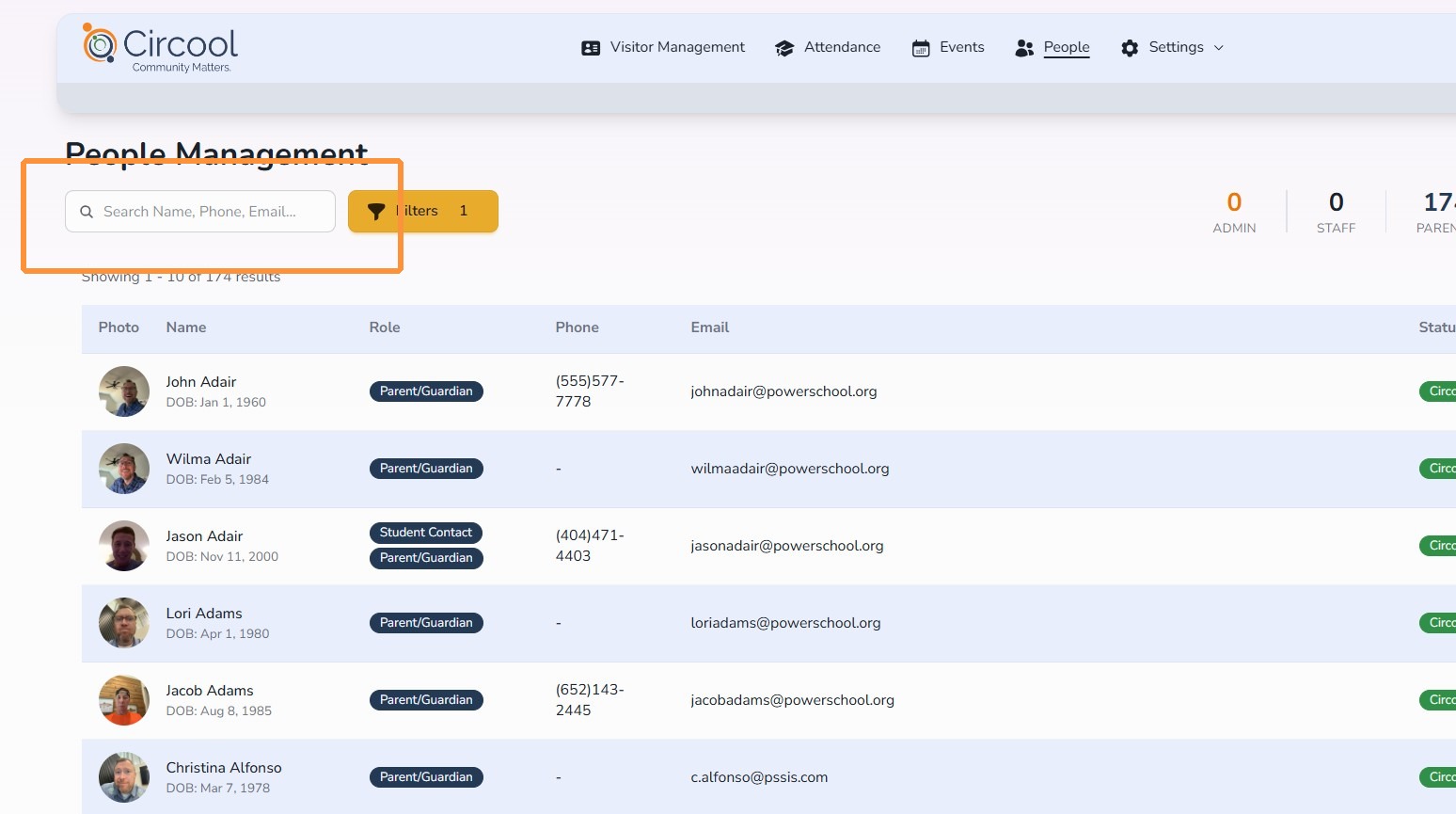
Step 2: Search for the parent or guardian
- Type the person’s name in the Search field.
- Review the matching names that appear.
Circool searches custodial parents and guardians, student emergency contacts, student pickup contacts, and staff records synced from your SIS.
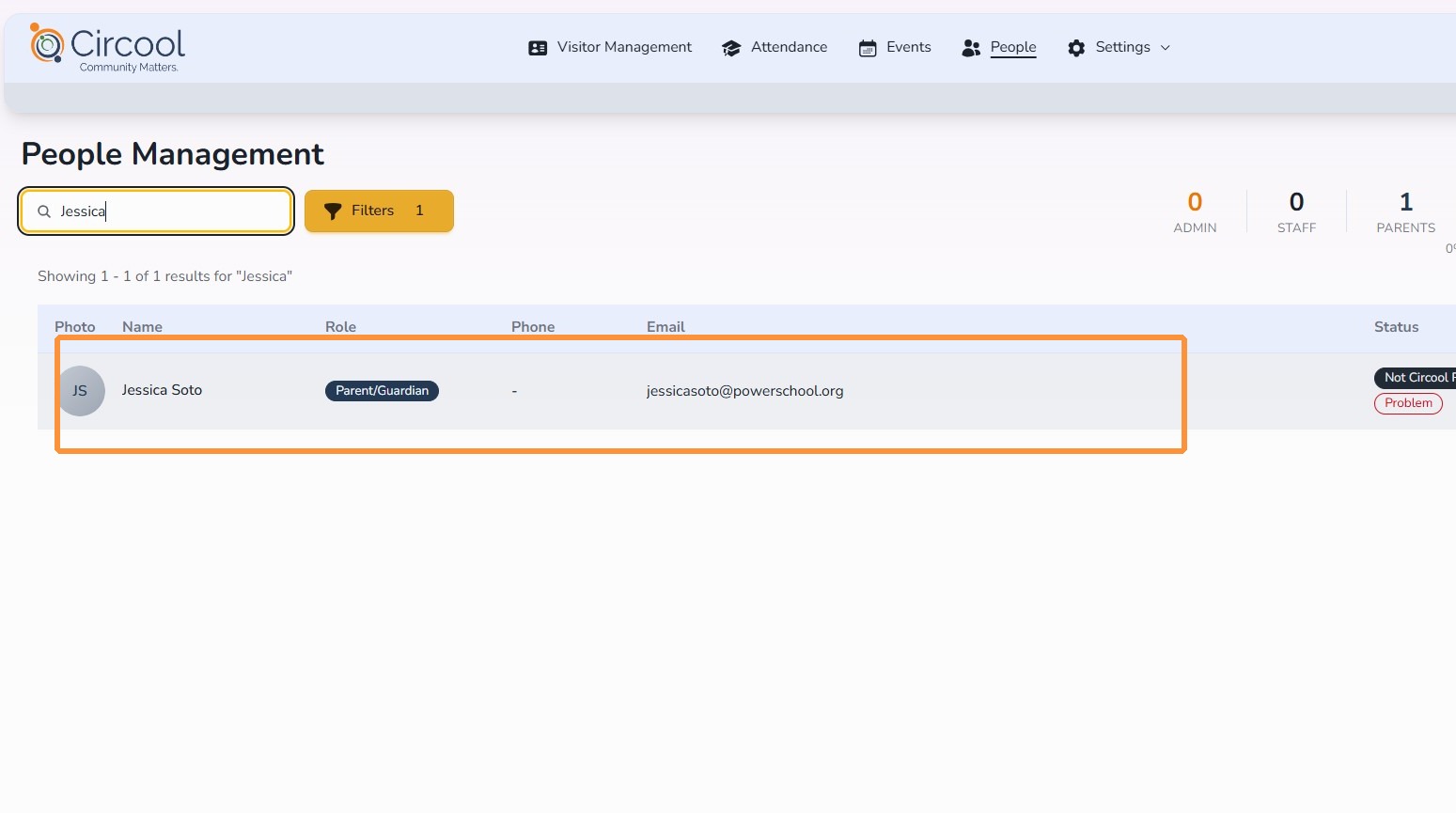
Step 3: Open the person’s profile
- Click anywhere on the person’s row to open their profile.
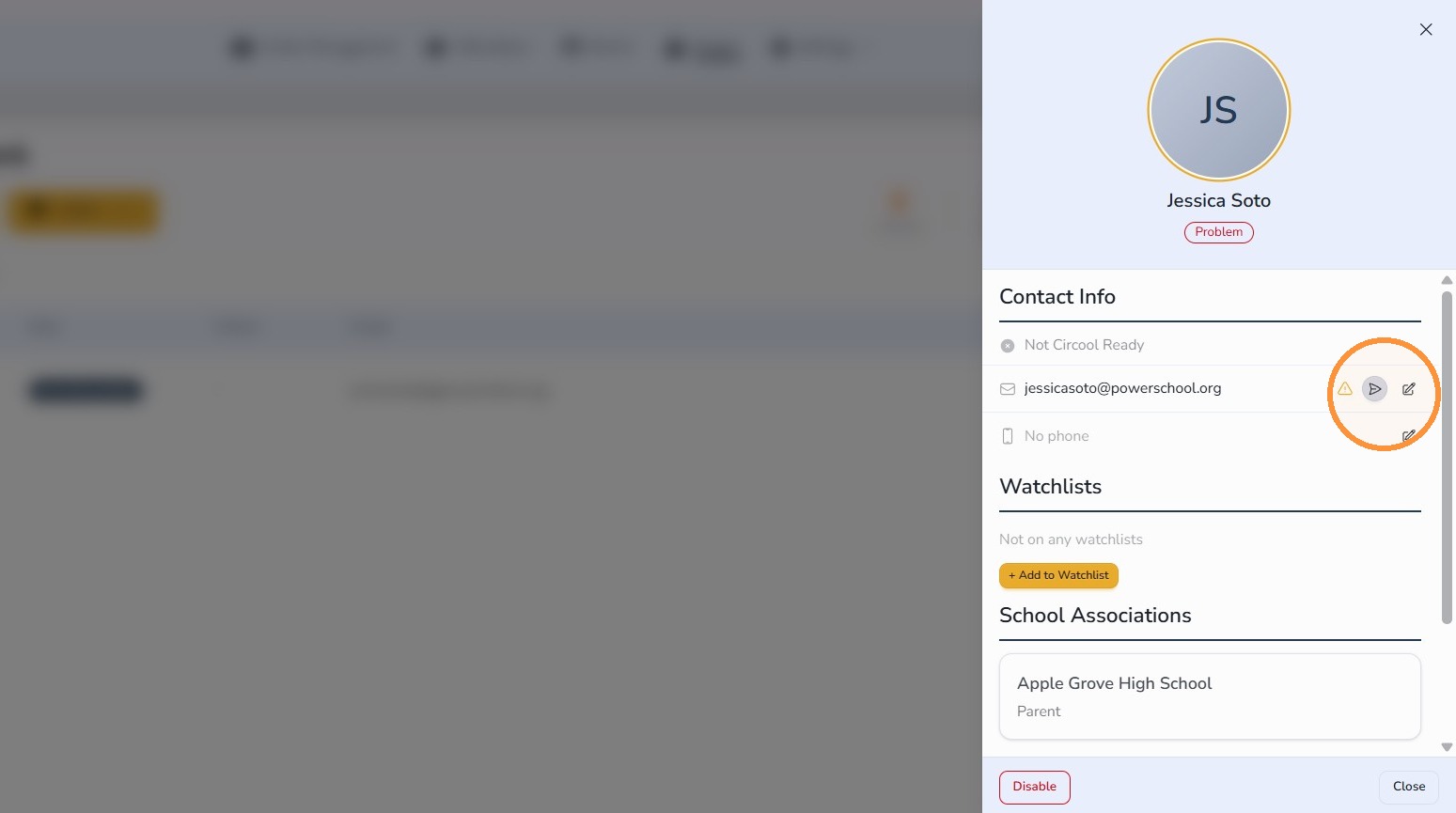
Step 4: Send an activation by email or text message
From the slide-out profile, you can send the person a one-time activation link by email or text message.
To send an email
- Find the person’s email address.
- Click the send arrow icon to the right of the email address.
- If no email address is listed, click the Edit icon and add their email address.
To send a text message
- Find the person’s phone number.
- Click the send arrow icon to the right of the phone number.
- If no phone number is listed, click the Edit icon and add their phone number.
Important: Editing an email address or phone number in Circool does not update that information in the SIS. If the SIS record needs to be corrected, update it there first.
Step 5: Confirm and send
- Click Send to send the activation email or text message.
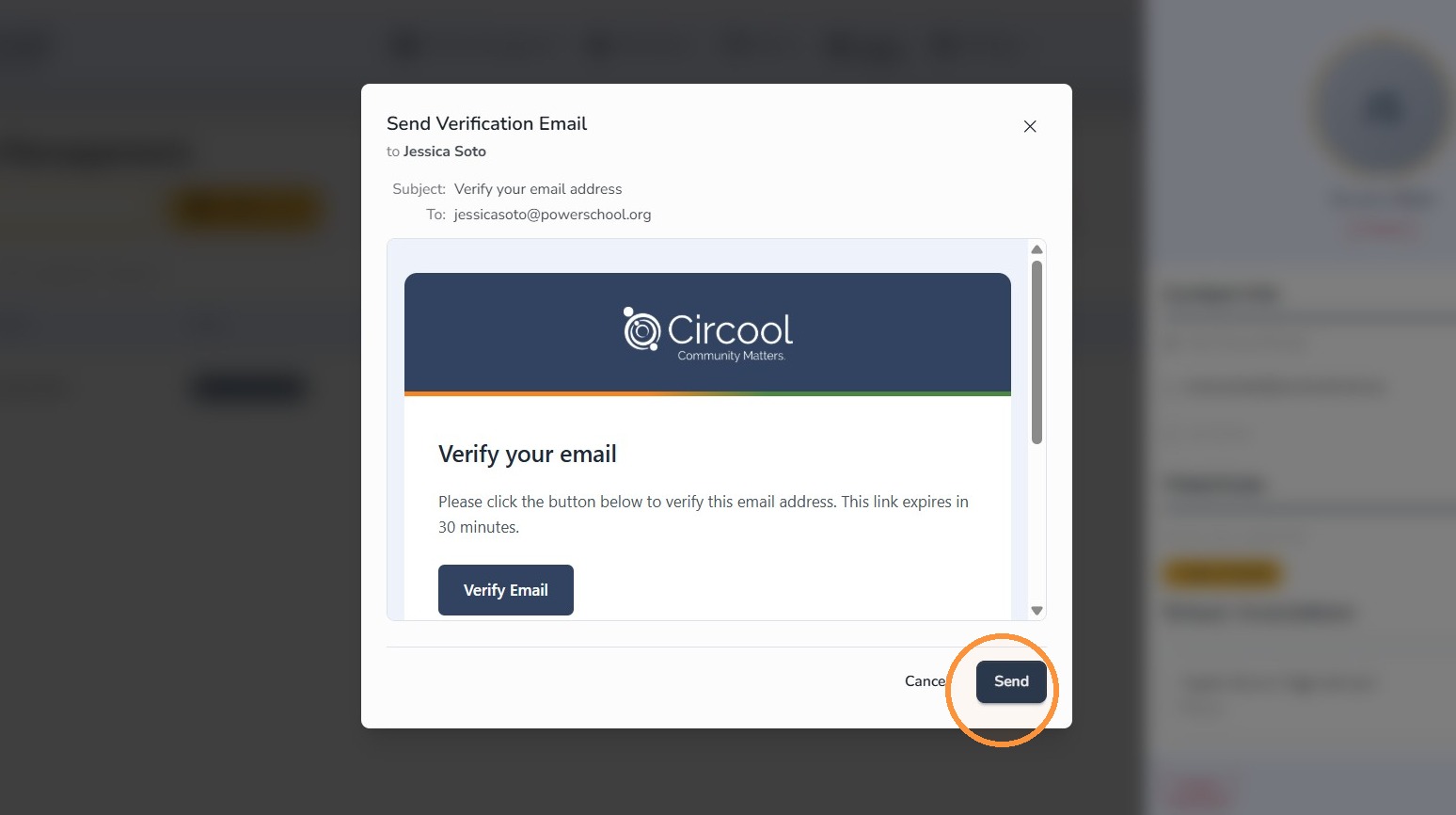
Step 6: Open the full profile, if needed
If you need to restart the activation reminder cadence, open the person’s full profile.
- Click View Full Profile.
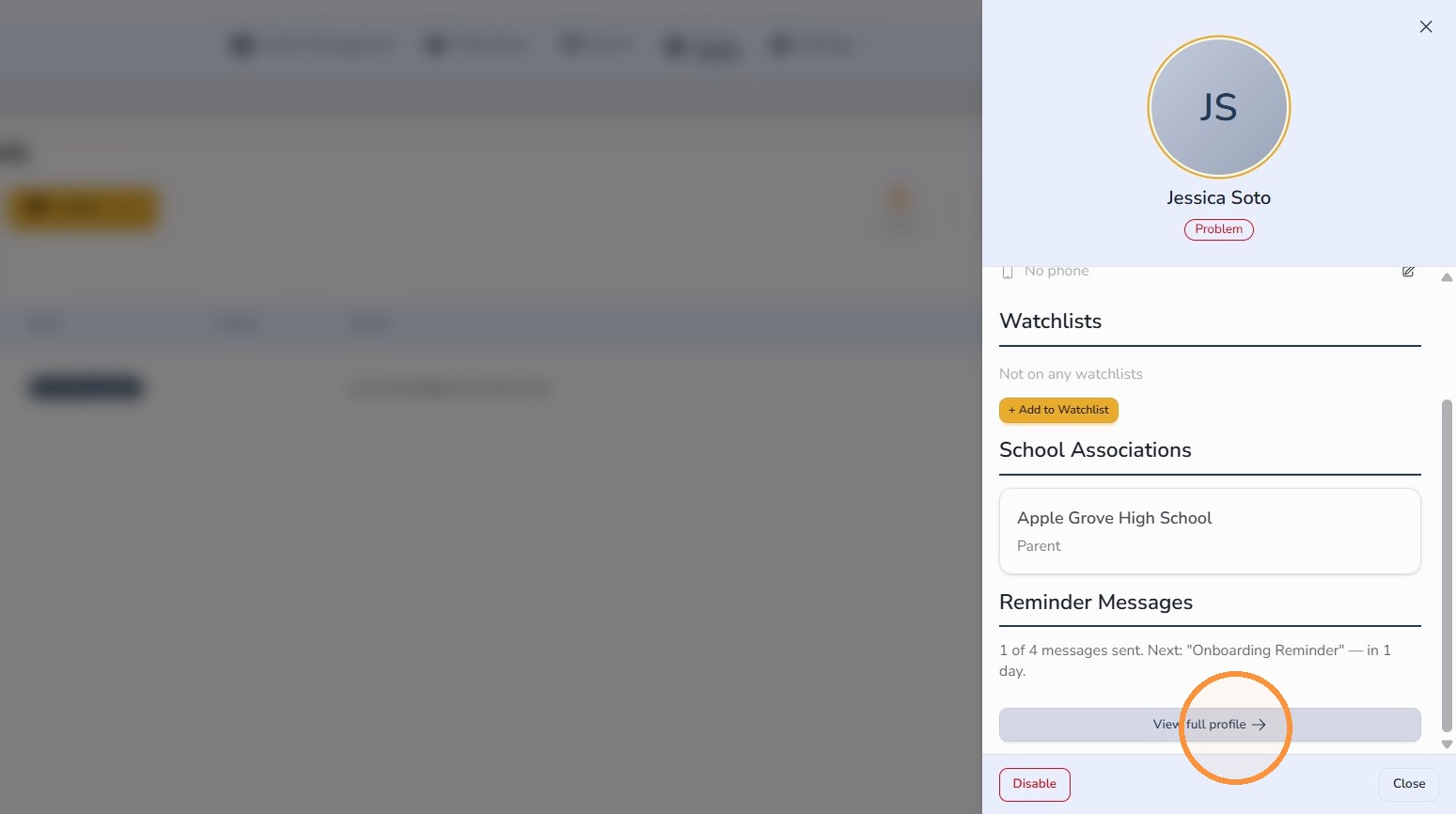
Step 7: Restart reminders
- Click Restart Reminders.
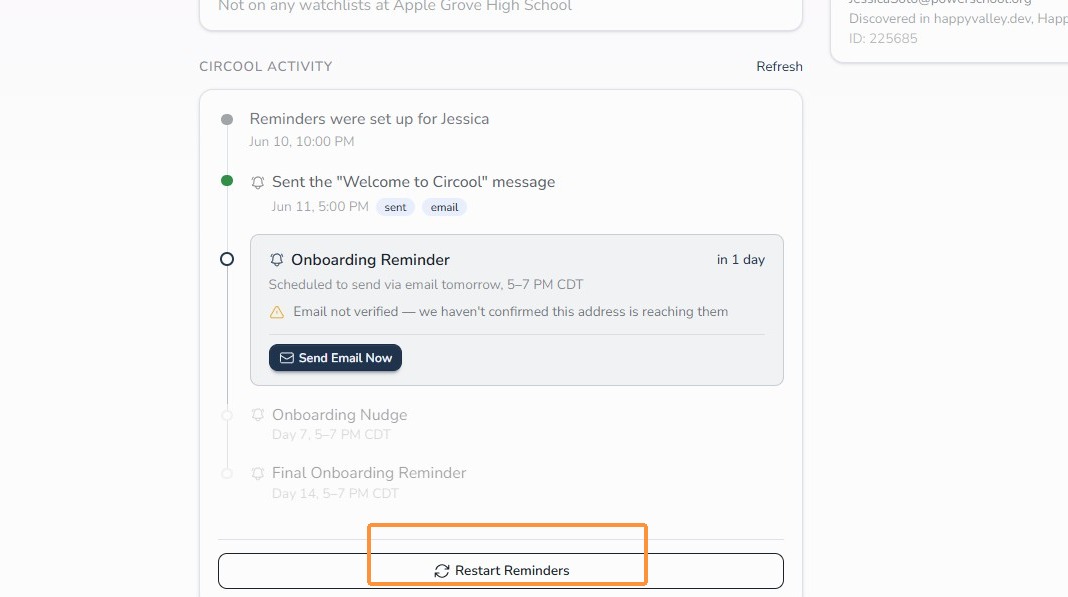
What happens next
The parent or guardian will receive a Circool activation link by email or text message.
Once they open the link, they can complete setup by confirming their birthday and adding a selfie. After setup is complete, they will have access to their Circool Pass.
That’s it. Sending activation links helps parents and guardians get Circool-Ready before they arrive at school.
Need help?
Circool support is here to help.
If you need help sending Circool activation links, updating People records, or restarting activation reminders, contact Circool support by phone at 205.202.1124 or email support@circool.com.
Was this article helpful?
That’s Great!
Thank you for your feedback
Sorry! We couldn't be helpful
Thank you for your feedback
Feedback sent
We appreciate your effort and will try to fix the article