How to Check Out Guests
Use this guide when a guest is leaving the building and needs to be checked out in Circool.
Checking guests out helps your school keep an accurate record of who entered, when they arrived, and when they left.
When to use this
Use this process when a guest, parent, guardian, vendor, volunteer, or other visitor is leaving your school and needs to be checked out from the Guest Management dashboard.
Tip: Guests are automatically checked out at the end of the day, but it is best to check them out manually when they leave so your dashboard stays accurate throughout the school day.
Step 1: Find the guest on your dashboard
From the Guest Management dashboard, find the guest who is leaving the building.
Guests who are currently checked in will appear on your dashboard with a Check Out button to the right of their record.
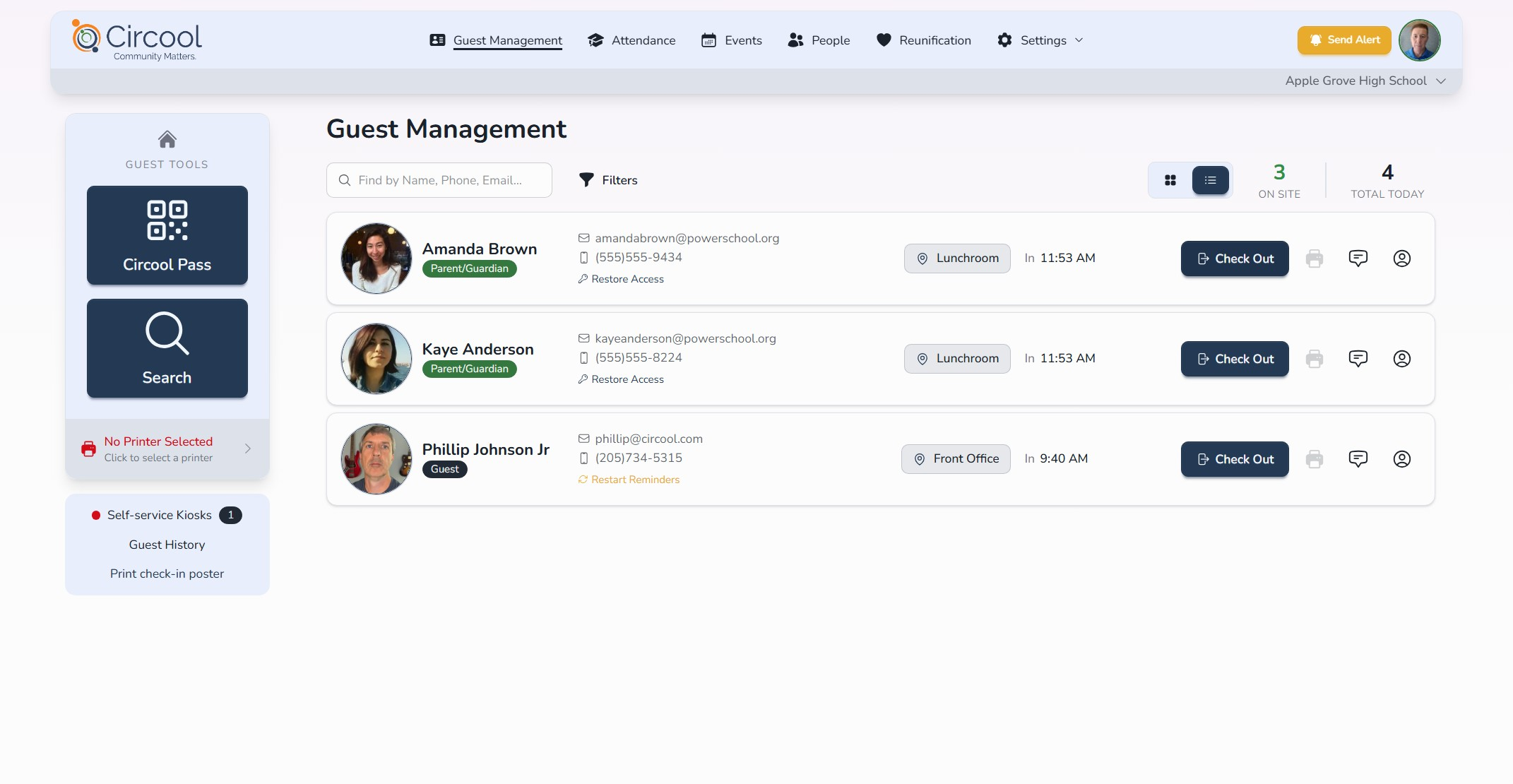
Step 2: Click Check Out
- Find the guest’s record.
- Click Check Out to the right of the guest’s name.
- Circool will record the guest’s check-out time.
Good to know: If the guest does not check out with the front desk, Circool will automatically check them out at the end of the day.
What happens next
After the guest is checked out, Circool saves the visit history with the guest’s arrival and departure times.
Once the Check Out button is no longer visible and the guest’s record appears faded, the guest has been successfully checked out.
That’s it. Checking guests out keeps your dashboard accurate and gives your school a clear record of each visit.
Need help?
Circool support is here to help.
If you need help checking out guests or adding visit comments, contact Circool support by phone at 205.202.1124 or email support@circool.com.
Was this article helpful?
That’s Great!
Thank you for your feedback
Sorry! We couldn't be helpful
Thank you for your feedback
Feedback sent
We appreciate your effort and will try to fix the article